How to Publish a Lovable or Vibe-Coded App to the App Store and Google Play
What Apple and Google check, your three options, how Capacitor, Median, Despia and Natively compare, and how LetsDeployIt ships it for you.
You built an app in Lovable, Bolt, Rork, v0 or RapidNative. It works in the browser or in a preview. Now you want it on the App Store and Google Play, with a real listing people can download.
This guide covers what Apple and Google need, the three ways to get there, how the popular tools compare, the rejections to expect, and how LetsDeployIt can take the whole thing off your hands.
Quick answer
Yes, you can publish a Lovable or vibe-coded app to the App Store and Google Play. Lovable, Bolt, v0 and similar builders make web apps, and the stores only list native apps, so the app first needs a native version. Then it needs signing, store assets, privacy forms and a review that it passes. You can do this yourself, use a wrapper tool, or hand it to a done-for-you service like LetsDeployIt.
Can a Lovable or vibe-coded app go on the App Store?
Yes, but not as it is. Lovable, Bolt and v0 build web apps that run in a browser. Apple and Google list native apps, and Apple rejects apps that feel like a website in a wrapper under Guideline 4.2 (Minimum Functionality).
So there are two kinds of starting point:
| Built with | What you have | What it needs |
|---|---|---|
| Lovable, Bolt, v0, Base44, Replit | A web app | A native version of the app, then the store work |
| Rork, RapidNative, Expo, React Native | A native project | The store work: signing, assets, compliance, submission |
The good news for Lovable users: your backend does not have to change. A native app can talk to the same Lovable Cloud or Supabase project, so your data and users carry over. More detail in our guide on publishing a Lovable app to the App Store.
What do Apple and Google check before approving an app?
| Requirement | Store | Why it matters |
|---|---|---|
| A native, signed build (.ipa for iOS, .aab for Android) | Both | The stores don't accept a website link |
| More than a repackaged website | Apple (Guideline 4.2) | The most common rejection for AI-built apps |
| In-app account deletion if users can sign up | Apple (Guideline 5.1.1(v)) | Very common first rejection |
| A working demo login and no crashes or placeholder content | Apple (Guideline 2.1) | Reviewers must be able to use the app |
| Privacy labels and the Data Safety form | Both | Required for every listing |
| Screenshots in every required device size | Both | Required for every listing |
| A closed test with 12 testers for 14 days | Google Play | New personal developer accounts only |
| Developer accounts | Both | Apple $99 a year, Google Play $25 once |
For the full list, see why Apple rejects AI-built apps and publishing a vibe-coded app to Google Play.
What are your options for publishing?
There are three routes. Which one fits depends on how much time you have and how much you want to handle yourself.
| Route | Examples | You handle | Best for |
|---|---|---|---|
| Do it yourself | Capacitor, Expo | Everything: native build, signing, assets, forms, submission, reviewer replies | Developers with weeks to spare |
| Wrapper tools | Median, Despia, Natively | Usually the store side yourself (Median and Natively sell publishing help separately), plus the 4.2 risk of a wrapped site | Simple content apps |
| Done for you | LetsDeployIt | A 15-minute brief | Founders who want it live and approved |
Hiring a freelancer or agency, or using your builder's own publish route if it makes native apps, are two more options. We compare all of them in the best ways to publish a vibe-coded app.
How do Capacitor, Median, Despia and Natively compare?
These are the tools people most often look at, and each takes a different approach:
- Capacitor is free and open source. It runs your site in a WebView, and you build, sign and submit the app yourself. Capacitor vs LetsDeployIt
- Median wraps your published site in a native app shell. You publish it yourself or pay for its separate publishing service. Median vs LetsDeployIt
- Despia runs your web app in its own native runtime for a one-time fee. It offers one-click publishing, but the store side (listings, privacy forms, reviewer replies) stays with you. Despia vs LetsDeployIt
- Natively turns your site into an app on a monthly or lifetime plan. You publish it yourself, or pay for its publishing service. Natively vs LetsDeployIt
The main difference: these tools put your web app inside an app. LetsDeployIt rebuilds it as a native React Native and Expo app on the same backend, then does the store work and submission for you.
Which rejections should you expect?
If you submit on your own, these are the ones that come up most:
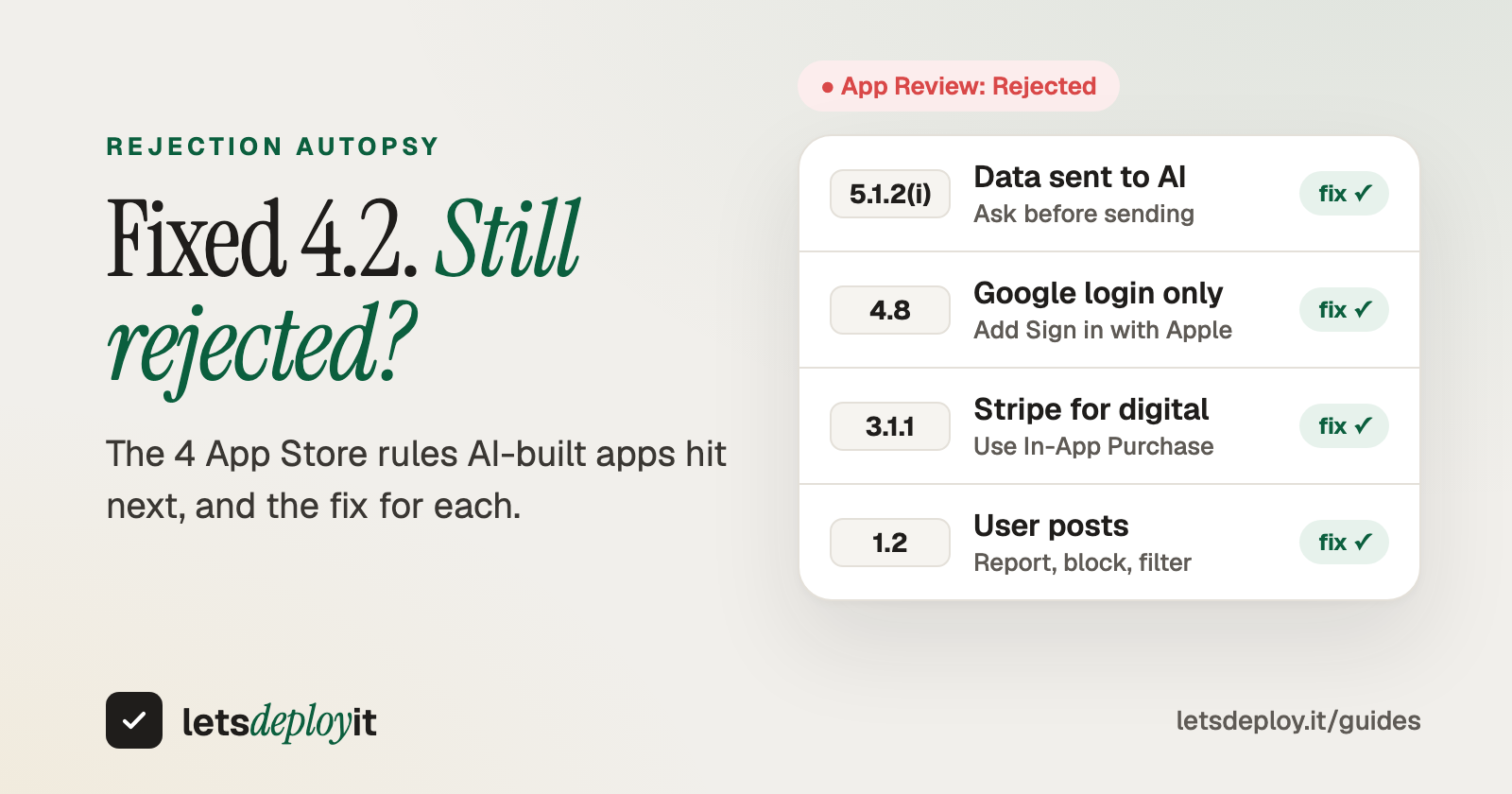
- Guideline 4.2 (Minimum Functionality): the app feels like a website. The fix is native navigation, push notifications, an offline state and at least one feature that uses the phone. How to fix a 4.2 rejection
- Guideline 5.1.1(v): users can create an account but can't delete it inside the app. How to fix an account deletion rejection
- Guideline 2.1 (App Completeness): no demo login, a paused backend, placeholder text or a crash on launch.
- Google Play's 12-tester rule: new personal accounts need 12 testers opted in for 14 days before production. How the 12-tester closed test works
What is LetsDeployIt?
LetsDeployIt is a done-for-you service that takes your app from "it works" to "it's live on both stores", end to end. It comes from the team behind RapidNative.
How do you get started?
You can start with just your app's link. We try your app for free and come back within two business days with how we'd get it into the stores. Once you go ahead, send the code as a ZIP export of your project (in Lovable: Code, then Download codebase) or connect its GitHub repo. If you want an NDA before you share code, we'll sign yours.
What happens to your backend?
You choose:
- Already have a backend? Keep it. The native app connects to your existing backend (Lovable Cloud, Supabase or your own APIs) as it is. Nothing moves, and your data and users carry over.
- Need a backend set up? Backend setup is included in the Launch plans. We set it up on your own Supabase, Firebase or AWS account, so you own it and the monthly hosting bill stays with you.
- Want smoother updates? Host it with us. If you'd like, you can move your backend to our hosting, which makes future updates easier for us to ship. It's optional, has a separate fee, and isn't part of the Launch plans or the Care plan.
What does the process look like?
- You brief us (week 1). App name, link or ZIP, brand assets and target stores. About 15 minutes.
- AI drafts everything (weeks 1 to 2). Store copy, keywords, screenshots, icon polish and privacy policy.
- Humans verify (weeks 2 to 3). Senior reviewers check the app against the common rejection reasons. The Google Play closed test runs in parallel.
- We submit and handle review (weeks 3 to 4). We reply to reviewers, fix and resubmit until the app is live.
Most apps go from kickoff to live on both stores in three to four weeks.
What do you get?
- A native React Native and Expo version of your app, with the full source code
- App icon, splash screen and screenshots in every device size
- Store listing copy and keywords
- Privacy policy and terms hosted, Apple privacy labels and the Data Safety form
- An account deletion flow and a Guideline 4.2 compliance pass
- Certificates, signing and submission to both stores
- Google Play's 12-tester closed test, run for you
- Reviewer replies and free resubmissions until approved
- 2 months of free updates after launch through the Care plan: up to 2 updates a month shipped to both stores (a full store release counts as 2)
What does it cost?
Prices on the site at the time of writing, in USD:
| Plan | Price | What you get |
|---|---|---|
| Preview | Free | The native version on your phone through a QR code, before you pay |
| Export | $99.50 | Full source code; you submit it yourself |
| Launch, one store | $349.50 | App Store or Google Play, done for you |
| Launch, both stores | $499.50 | App Store and Google Play, done for you |
Launch plans are paid 50% to start and 50% when the app is live. If the app follows Apple's and Google's published policies and we can't get it approved, you get a 100% refund. Developer account fees and backend hosting are not included (hosting is available from us as a separate service). See the pricing page for the current details.
Has it shipped real apps?
Yes. Mindful Coach (meditation, breathing and mood tracking) and LibreAte (restaurant reviews for people with food allergies) are live on both stores. A third app is live under NDA, and more are in review.
FAQ
Can I publish a Lovable app to the App Store? Yes. It needs a native version first, because the App Store doesn't list web apps. Your Lovable backend can stay as it is.
Do I need to know how to code? No. With a done-for-you service you send a link or a ZIP of your project, and the native build, store work and submission are handled for you.
Is there an alternative to Median or Capacitor that does the submission for me? Yes. LetsDeployIt rebuilds the app as native and handles the listing, compliance, submission and reviewer replies until it's approved.
How long does it take? Usually three to four weeks from kickoff to live, including Apple's and Google's review times.
What happens after launch? The first 2 months of updates are free through the Care plan. After that you can keep Care or pay for single updates when you need them. Care covers updates, not hosting; hosting is a separate service.
What about the backend? If you already have a backend, the native app simply connects to it as it is. If you want separate hosting with us, that's optional and has a separate fee. It isn't part of the Launch or Care plans.
Do I own the code? Yes. You get the full React Native and Expo source code, with no lock-in.
Ready to ship yours?
Send your app's link at letsdeploy.it. The check is free, we reply within two business days, and you see the native version on your own phone before you pay anything.
What's holding your app back from the stores right now? Tell us in the comments.
About the author
- LetsDeployIt helps you publish your app to the App Store and Google Play. If you vibe-coded it or built it with an AI app or web app builder, we convert it into a native mobile app where needed and handle the submission until it’s live. We work with apps built on Lovable, Bolt.new, Base44, v0, Replit, Rork, Emergent, Anything, Rocket.new, RapidNative, FlutterFlow, Bubble, Glide, Webflow, Claude, Cursor, etc...
Comments
Join the discussionNo comments yet. Be the first to comment.